 Aomiba Player

A player for a library you built yourself
Aomiba Player plays the audio files on your device — the albums you bought, the recordings you made, the things streaming services never had. Everything stays on your iPhone. Nothing is uploaded, and there is nothing to sign up for.
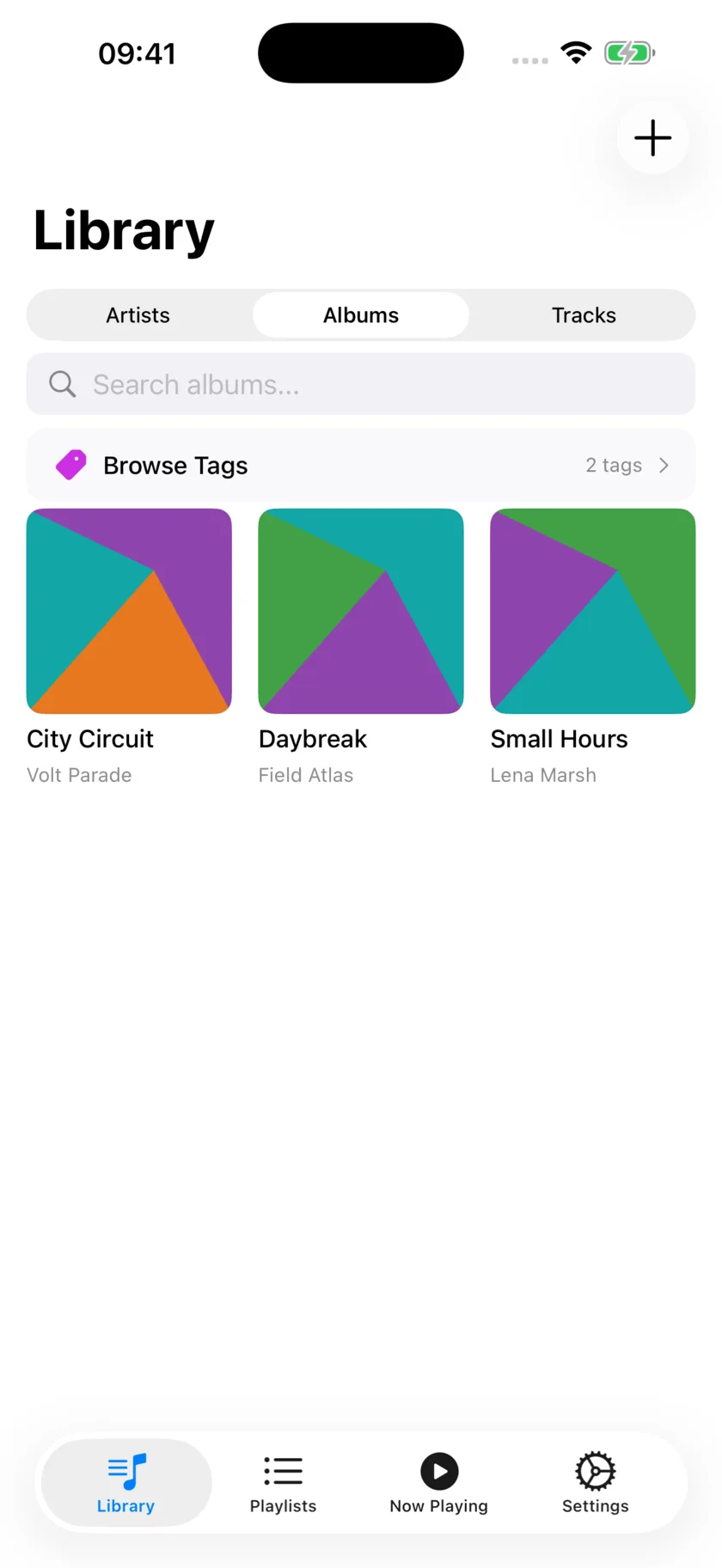
Your albums, as artwork
Browse by artist, album or track. Albums appear as a grid of their own covers, so you find things by recognising them rather than by reading a list. Search covers everything at once, and tags let you group music however you think about it.
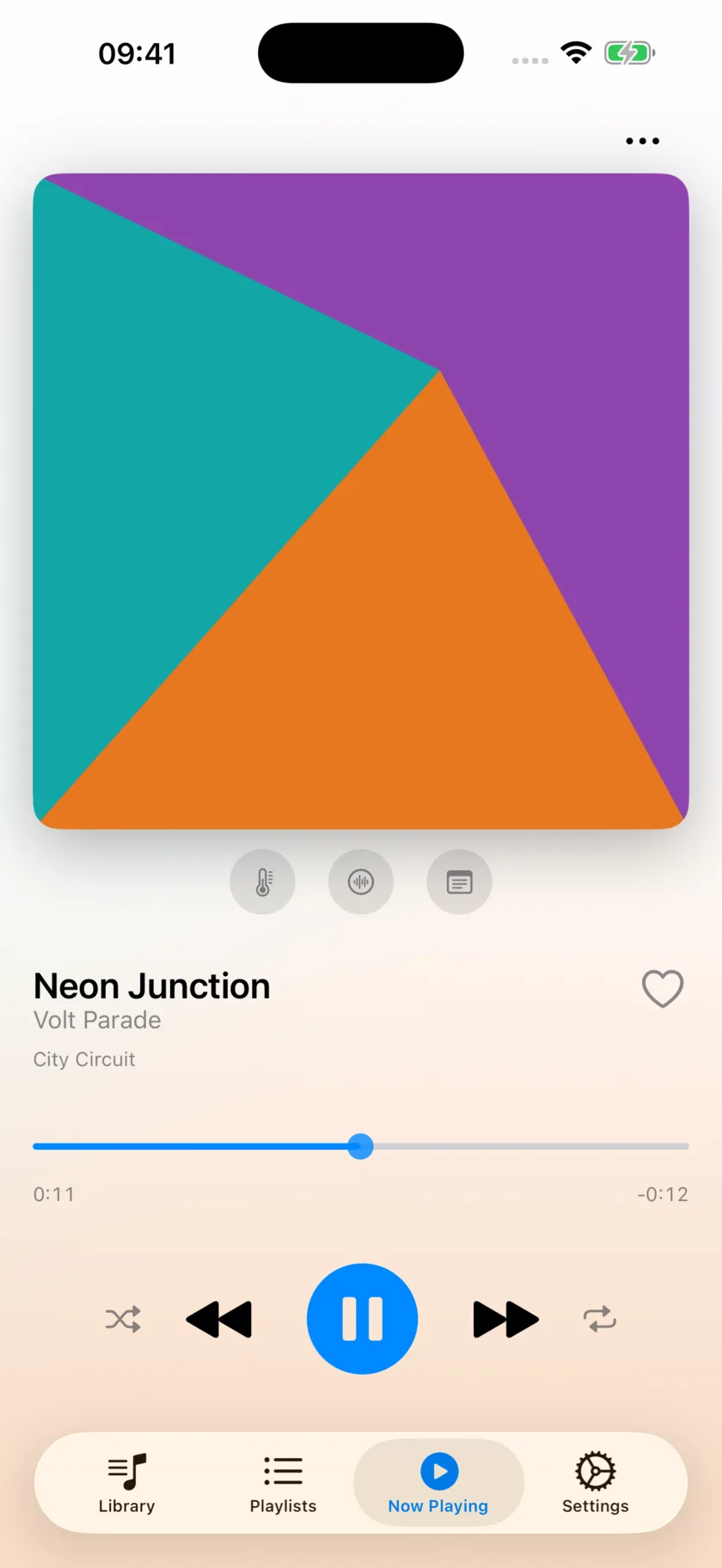
Large artwork, plain controls
The cover fills the screen and the background picks up its colours. Shuffle, repeat and skip sit together where your thumb already is. Add a note to a track — or to a moment inside a track — and it appears again when you reach that point.
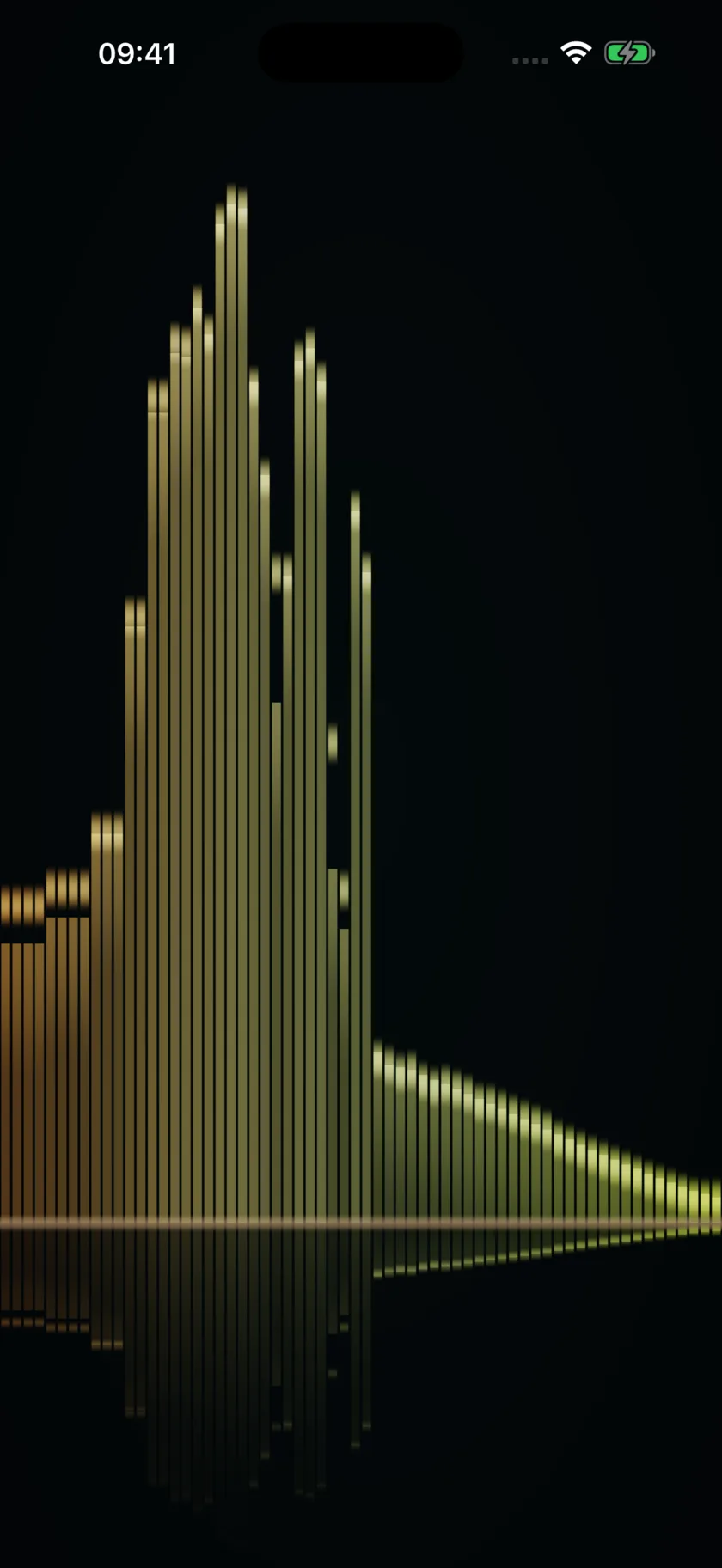
Watch the sound
Four full-screen scenes driven by the audio in real time: a spectrum analyser, aurora curtains, a nebula flythrough, and your own album art warped by the music. Swipe between them while a track plays.
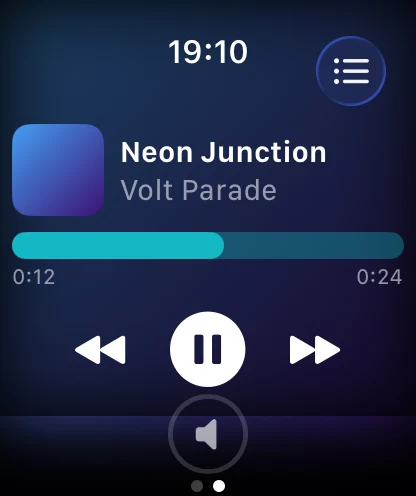
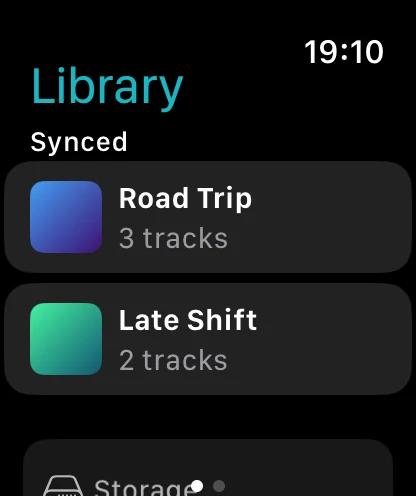
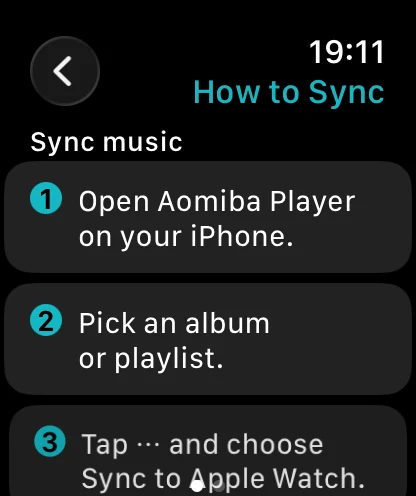
Leave the phone behind
Sync an album to your watch and play it with nothing else on you, through Bluetooth headphones. Artwork comes across with the music, transfers show their progress as they happen, and the watch tells you exactly what to do if you get stuck.
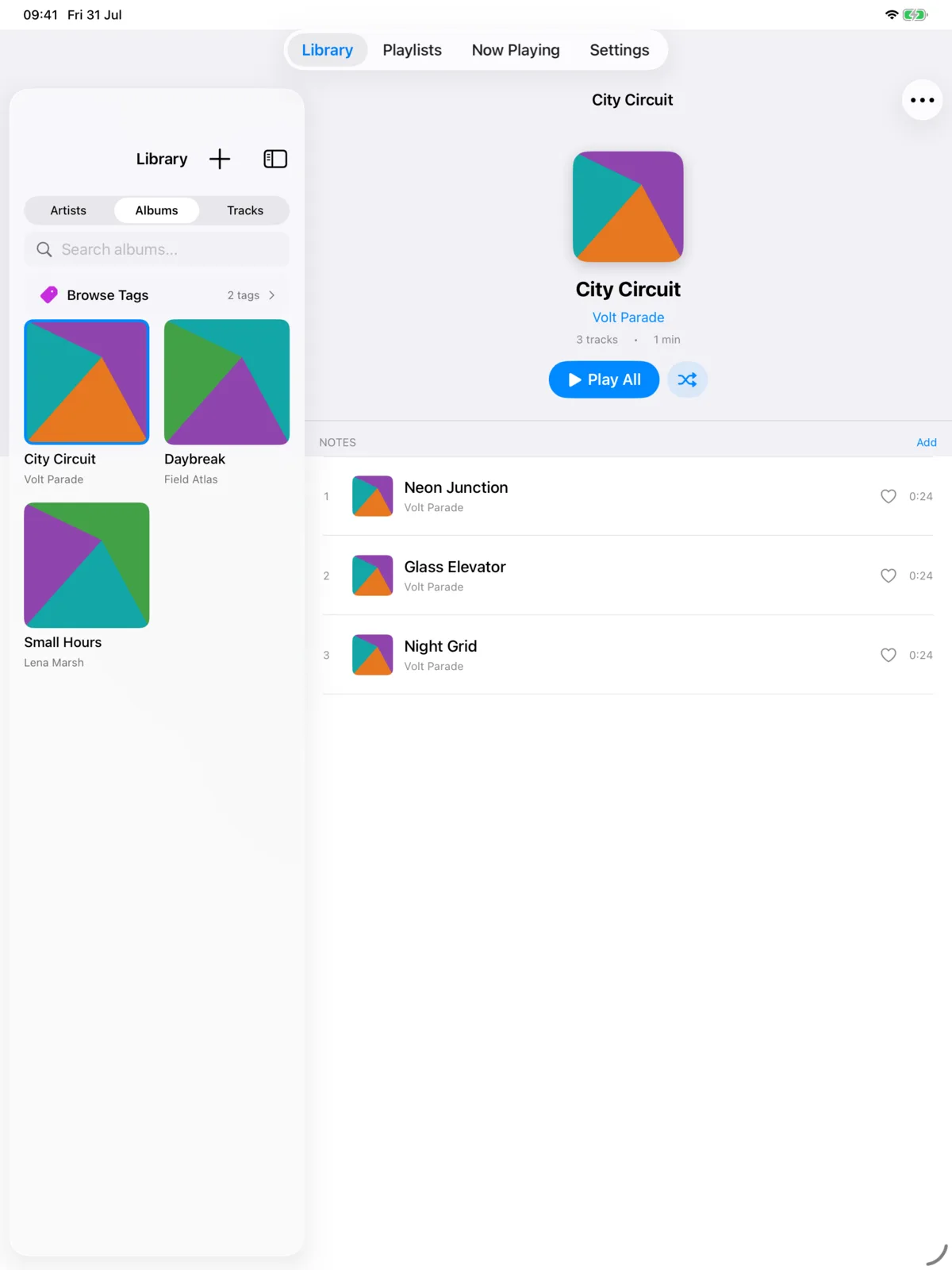
Two panes, no wasted space
On iPad the library sits beside whatever you have open, so picking an album doesn't hide everything else. The same app, laid out for the screen it's actually on.
Everything is free
- Play your filesMP3, M4A, AAC, WAV, FLAC and AIFF — imported from Files or iCloud Drive, stored on your device.
- Albums and playlistsOrganise tracks into albums, build playlists by browsing artists and albums, drag to reorder.
- Smart playlistsSet rules once and playlists keep themselves up to date.
- Folder syncPoint the app at a folder and new audio dropped there is picked up automatically.
- NotesAttach notes to tracks and albums, including timestamped notes tied to a moment in a song.
- Background playbackLock screen and AirPods controls, exactly as you'd expect.
- Artwork and metadataEdit titles, artists, artwork and more, right in the app.
- Import and exportTake your playlists and notes with you as plain text.
Private by design
Your music never leaves your device. Aomiba Player has no account, no ads and no analytics, and makes no network connections at all. There is no server to trust, because there is no server. Read the privacy policy.
Supporting the app is optional
Every feature is free for everyone, and always will be. If the app earns a place on your phone, you can leave something as a thank-you — it unlocks a decorative theme and nothing else. No feature is held back.
- Gold — one-off
- Platinum — monthly, cancel anytime
- Diamond — monthly, cancel anytime
Need a hand?
The support page covers importing music, watch sync and playback. If it doesn't answer your question, a real person reads the email.
Email player-support@aomiba.com